
Your exhibitor marketing kit has been created to make promoting your involvement simple.
Inside the kit, you’ll find ready-to-use assets for social media and email, along with suggested copy to help you get started. The assets are linked to your ArchiPro profile, so you can use your existing project or product imagery, choose another featured image or upload your own.
You can return to the kit and download new versions at any time.
How to find your marketing kit
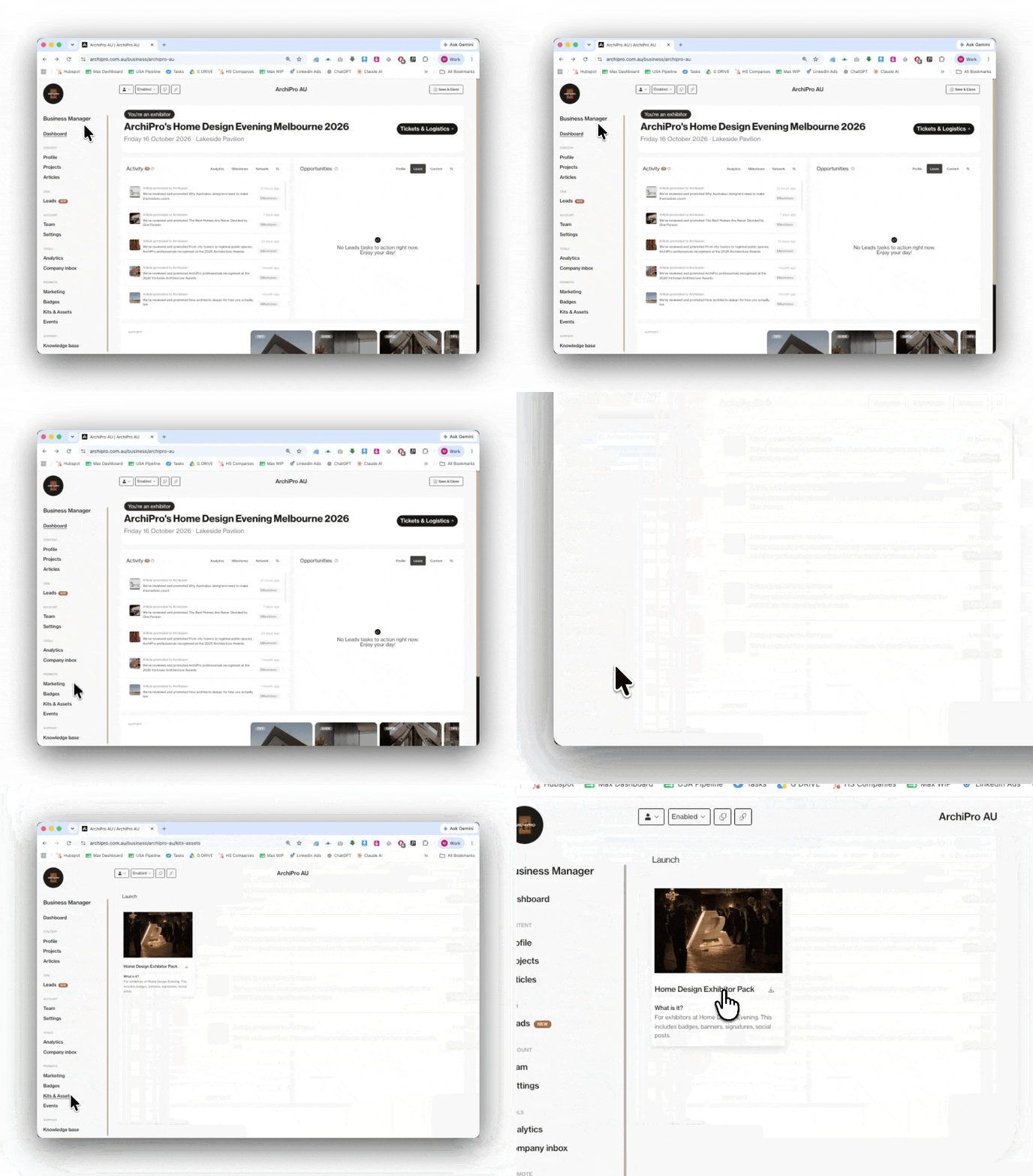
First, log in to the ArchiPro account connected to your business profile.
Once you’re logged in:
- Open Business Manager
- Select Marketing from the left-hand menu
- Open Kits & Assets
- Select Home Design Evening Melbourne 2026
Your event marketing kit will open with all available assets ready to view and download.
What is included in the kit?
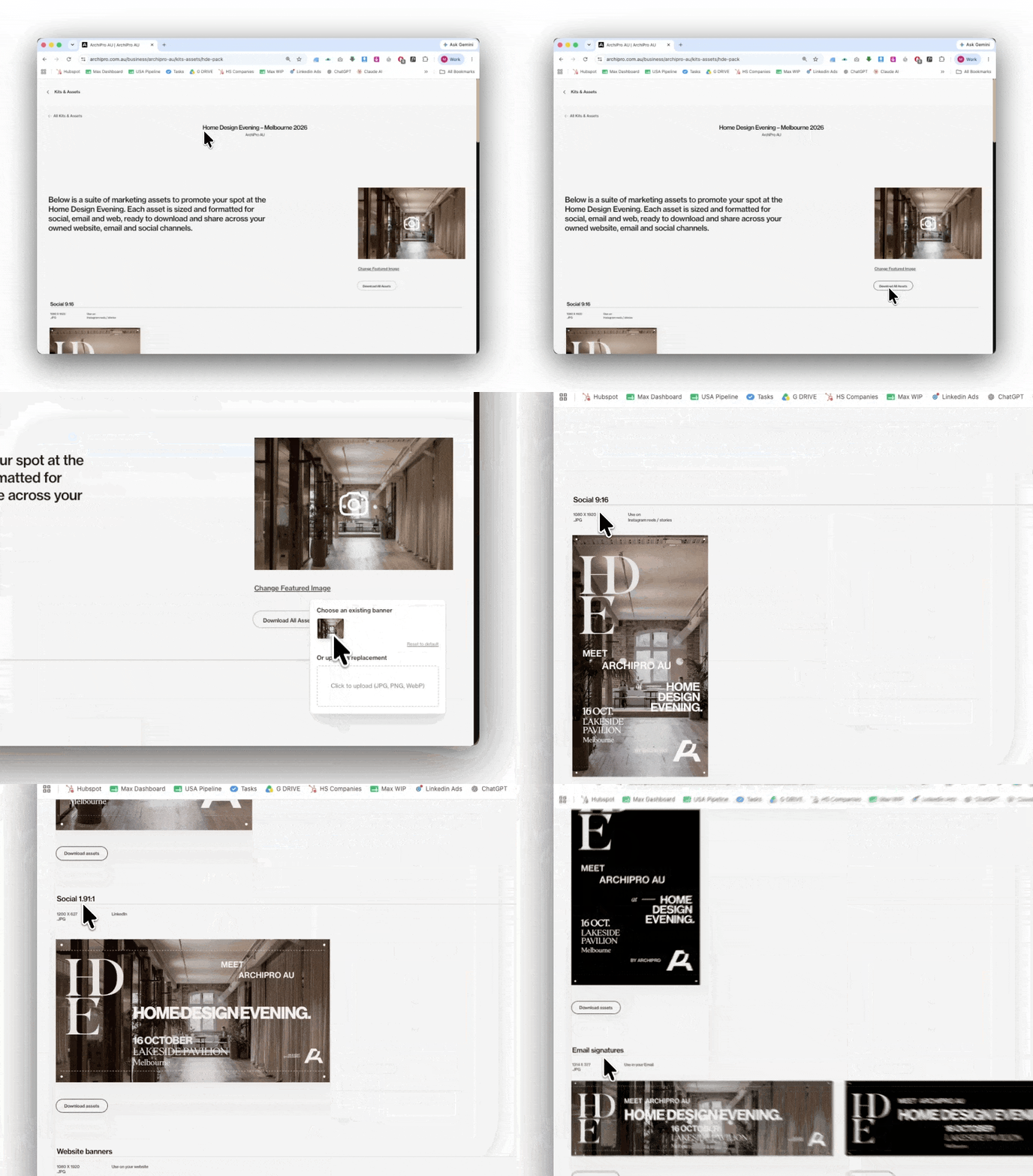
Your kit includes a selection of assets sized and formatted for different channels, including:
- LinkedIn and Instagram posts
- Instagram Stories
- Email banners
You don’t need to resize or redesign anything. Simply choose the version you’d like to use, download it and share it through your own channels.
How to choose an image
The kit will automatically pull imagery from your ArchiPro profile.
To use a different image, select the image shown in the kit. You can then choose from your featured banner images or upload a new image from your computer.
Once selected, the image will update across the available event assets.
We recommend choosing a clear, high-quality image that represents your business and is easy to understand at a glance. Project imagery, finished spaces and strong product photography generally work best.
How to upload your own image
You are not limited to the images already on your ArchiPro profile.
To upload your own:
- Open the image selection area
- Choose the option to upload a new image
- Select the file from your computer
- Check the preview
- Download the assets once you’re happy with the result
The image you upload will only be used to create your marketing assets. It will not automatically replace the imagery displayed on your ArchiPro profile.
How to download your assets
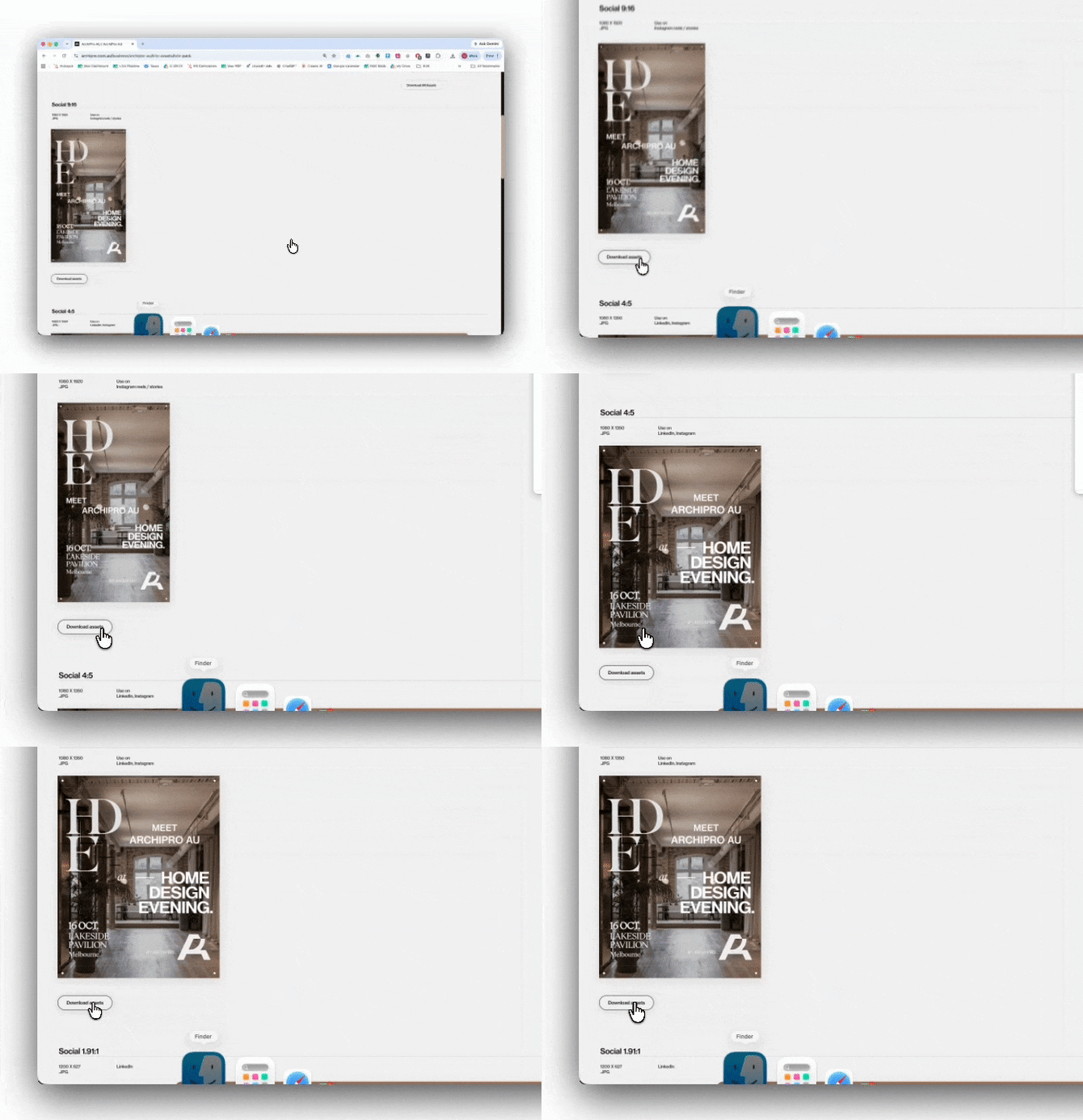
Once you have chosen your image, scroll through the available formats and select the assets you need.
Click Download beneath each asset to save it to your computer.
You can download as many versions as you like. To create another version, simply change the image and download the asset again.
Having trouble finding your kit?
Start by checking that you are logged in with the email address connected to your ArchiPro business profile.
If you can access your profile but cannot see Business Manager, you may not have the correct team permissions. Ask the administrator of your ArchiPro profile to add you as a team member or update your access.
You can also try signing out and logging back in with the correct account.
Suggested social copy
Choose from the suggested copy below and adjust it to suit your own tone of voice. Once you have selected your preferred version, add your ArchiPro profile link before publishing.
Tag ArchiPro in your post so we can see and reshare it where relevant.
LinkedIn: @archipro
Instagram: @archipro_
Caption Suggestion
We’re pleased to be exhibiting at @ArchiPro’s Home Design Evening Melbourne on Friday 16 October at Lakeside Pavilion.
The evening brings homeowners, architects, designers, builders and leading brands together under one roof.
Come and meet our team, see [insert product or range] in person and talk through your plans with us.
Register here: https://archipro.com.au/home-design-event
@ArchiPro
Shorter version
We’ll be exhibiting at ArchiPro’s Home Design Evening Melbourne on Friday 16 October.
Come and meet our team at Lakeside Pavilion and see [insert product or range] in person.
Register here: https://archipro.com.au/home-design-event
@ArchiPro
Need more help?
Contact your ArchiPro Strategic Partnerships Director or email the Home Design Evening team at events@archipro.com.au.
Let us know the name of your business and what you’re having trouble with, and the team will help you from there.