![ArchiPro-PNG-1.png]](https://archipro.support/hs-fs/hubfs/ArchiPro-PNG-1.png?height=40&name=ArchiPro-PNG-1.png)
To change the details on your ArchiPro account, log in to your account.
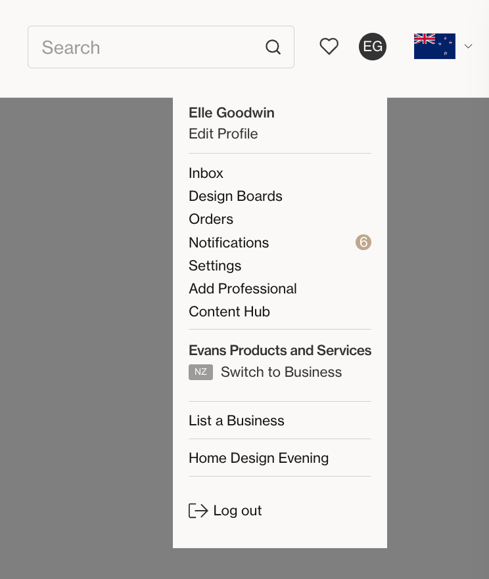
Once you are logged in, click on your initials icon at the top right of the screen.
Select Edit Profile from the dropdown menu.
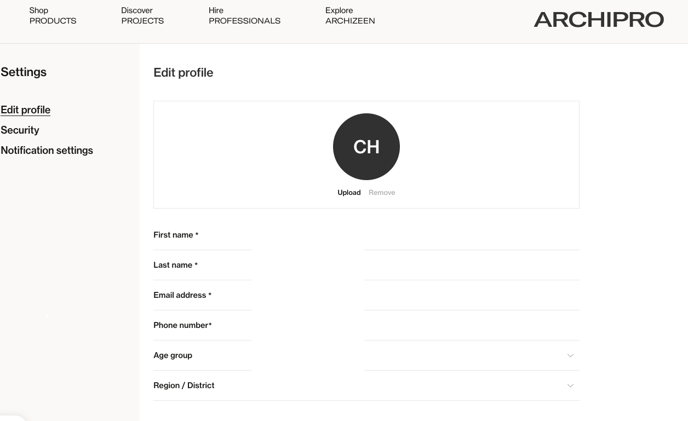
From here, you can edit your profile details such as first name, last name, email and phone number.
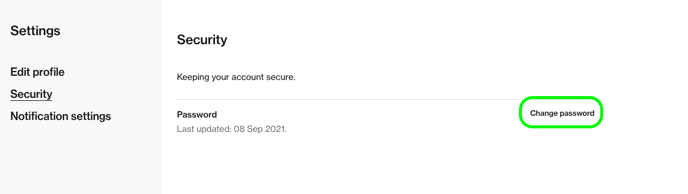
You can also change your password using the 'Security' tab on the left hand side.
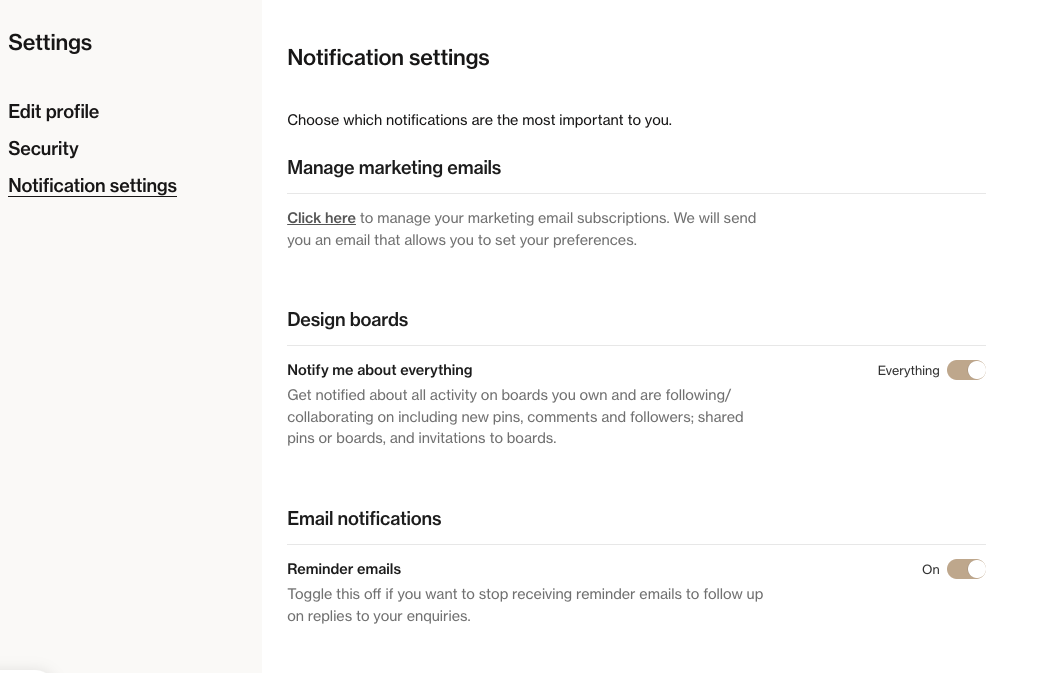
Finally, you can update your personal subscription and notification preferences.
If you need additional help, take a look at our article, Support for ArchiPro Clients: Your Guide to Getting Help, to explore the best next steps.
Last Edited: 24/01/2025